What is Port 80? How to Test HTTP Requests with RequestBin (Step-by-Step Guide)
Learn what Port 80 is, common HTTP issues developers face, and how to test and debug HTTP requests using RequestBin. Step-by-step guide with examples and code snippets.


When working with web applications, APIs, and server debugging, one of the most common terms you’ll encounter is Port 80. Developers often need to test HTTP traffic over this port, debug issues, and verify that their applications are sending requests properly. In this guide, we’ll break down everything you need to know about Port 80, explain common developer issues, and show you step-by-step how to use RequestBin to test and debug HTTP requests in real time.
What is Port 80?
The Role of Ports in Networking
Think of ports as doorways into your server. Every time data travels across the internet, it passes through an IP address and a specific port number. Each port corresponds to a particular service:
- Port 25 → Email (SMTP)
- Port 22 → Secure Shell (SSH)
- Port 443 → HTTPS (secure web traffic)
- Port 80 → HTTP (standard web traffic)
Why Port 80 is Important
Port 80 is the default port for HTTP traffic. When you type http://example.com into a browser, your computer is connecting to the server on Port 80 (unless specified otherwise). If Port 80 is blocked, misconfigured, or closed, your users may not be able to access your site over HTTP.
Even though HTTPS (Port 443) is now the standard, Port 80 still plays a critical role:
- Redirecting HTTP to HTTPS.
- Handling legacy clients.
- Serving local development and testing environments.
Common Developer Issues with Port 80
- Firewall or ISP Blocking
Some firewalls or ISPs may block Port 80 to reduce security risks. This can cause timeouts when testing HTTP services. - Conflicts with Other Services
On local machines, Port 80 might already be in use (e.g., by Apache, Nginx, IIS). Developers trying to bind a test server may encounter “Address already in use” errors. - Misconfigured Redirects
If your server doesn’t properly redirect HTTP (Port 80) traffic to HTTPS (Port 443), users may experience broken connections or insecure warnings. - Load Balancer and Proxy Issues
In complex deployments, traffic entering on Port 80 may be terminated or proxied incorrectly, leading to mismatched headers or dropped requests.
Testing HTTP Requests on Port 80
To debug issues with Port 80, developers often need a way to inspect incoming requests. This is where RequestBin becomes invaluable.
What is RequestBin?
RequestBin is a simple yet powerful tool that lets you:
- Generate a temporary endpoint URL.
- Send HTTP requests (from your app, browser, or API client) to that endpoint.
- Inspect the headers, body, and metadata of each request in real time.
This makes RequestBin perfect for testing webhooks, APIs, and debugging traffic over Port 80.
Using RequestBin to Test HTTP on Port 80
Step 1: Create a RequestBin
- Go to requestbin.net.
- Click “Create a RequestBin”.
- You’ll be given a unique URL like:
https://enabcd1234.requestbin.net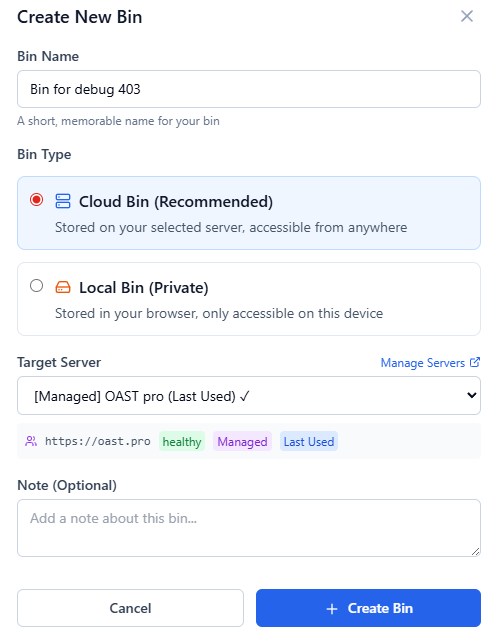
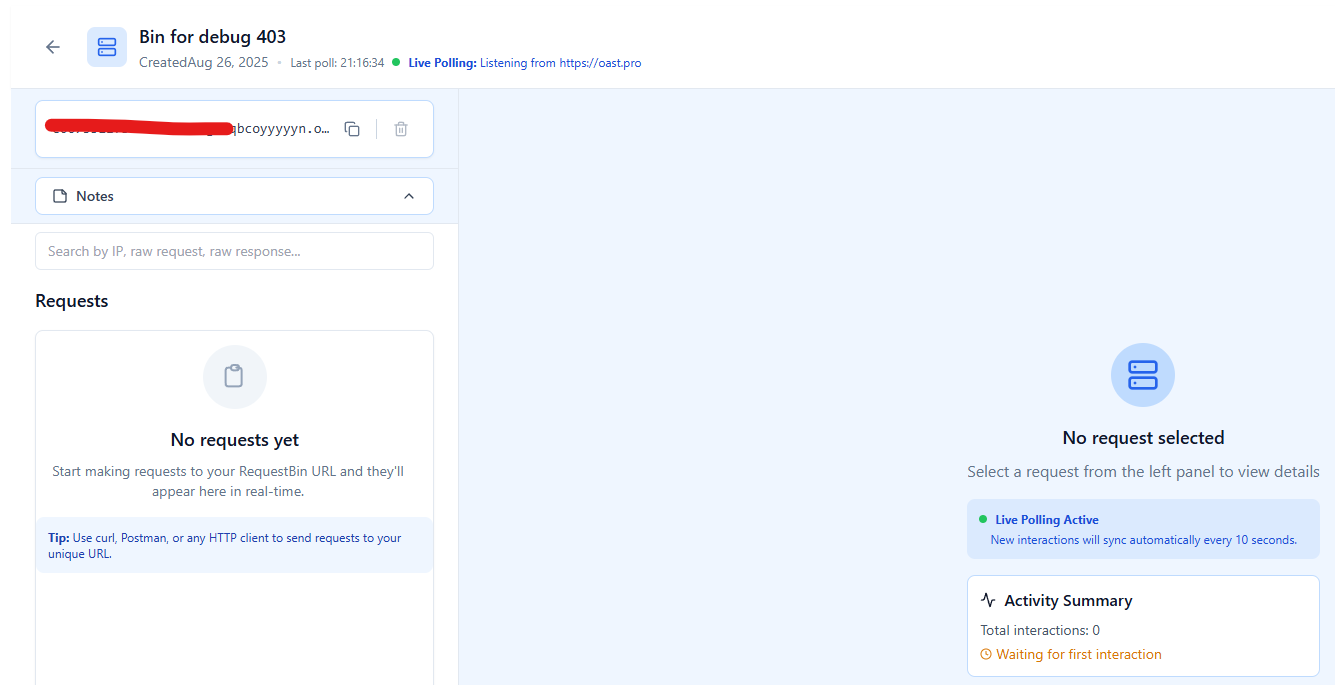
Step 2: Send a Request to Port 80
Now, simulate a request to Port 80. You can do this in multiple ways:
Option A: Using curl
curl -v http://enabcd1234.requestbin.netThis sends an HTTP GET request over Port 80.
Option B: Using Python requests
import requests

url = "http://enabcd1234.requestbin.net"
response = requests.get(url)
print(response.status_code)
Option C: From a Browser
Simply visit the RequestBin URL with http:// (not https://) to trigger an HTTP request.
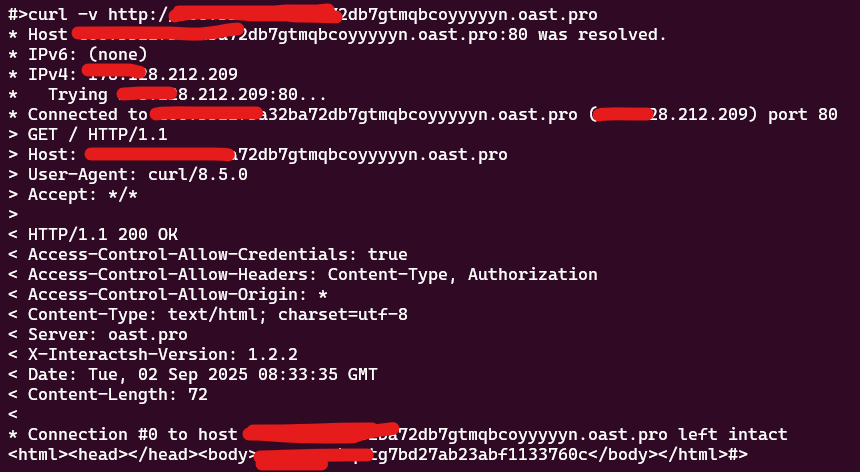
curl -v with headers being printedStep 3: Inspect the Request
Back in RequestBin’s dashboard, you’ll see:
- Request method (GET, POST, PUT, etc.)
- Headers (User-Agent, Host, Content-Type, etc.)
- Body payload (if any)
- IP address and metadata
Example output inside RequestBin:
Request received at: 2025-09-02 10:45:12
Method: GET
Headers:
  User-Agent: curl/7.85.0
  Host: enabcd1234.requestbin.net
Step 4: Test a POST Request
Let’s simulate sending JSON data over Port 80.
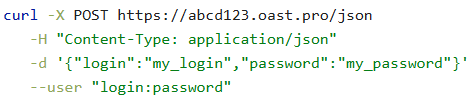
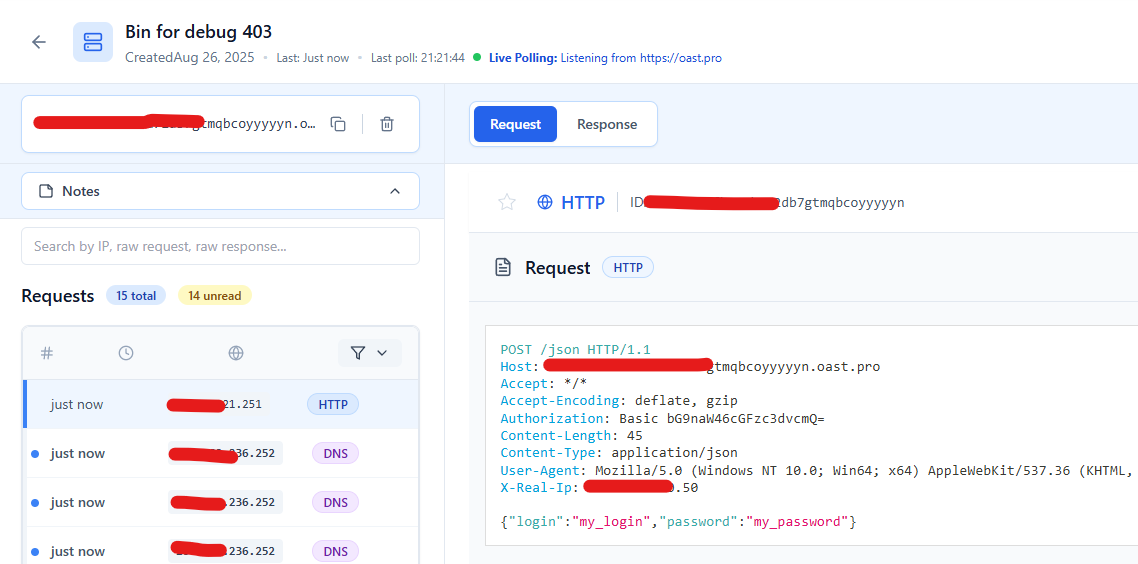
email, role, and active. Headers show Authorization: Bearer <redacted>, Content-Type: application/jsonDebugging Real-World Issues with RequestBin
1. Testing Webhooks
Many services (Stripe, GitHub, Twilio) send webhooks over Port 80. If you’re unsure what payload your app will receive, point the webhook to a RequestBin endpoint to inspect the structure.
2. Checking Redirects
By sending a request to Port 80 and observing whether the server responds with a 301 or 302 redirect to HTTPS, you can verify correct configuration.
3. Validating Headers
Some APIs require custom headers (Authorization, X-API-Key, etc.). With RequestBin, you can ensure your client is sending them correctly.
4. Debugging Firewalls
If a request never arrives at RequestBin, it might indicate that Port 80 traffic is being blocked at the source or by an intermediary firewall.
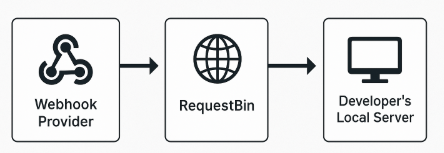
Advanced: Forwarding Requests to Your App
RequestBin can also forward requests to your local development server. This is useful when:
- You’re developing behind a NAT or firewall.
- You need to replay the exact HTTP request your app will receive.
Example workflow:
- Set up a RequestBin with forwarding enabled.
- Configure your webhook provider to use the RequestBin URL.
- RequestBin captures the request, then forwards it to your server on
localhost:80. - You debug locally while still seeing the raw inbound request.
Best Practices for Testing Port 80
- Always confirm whether your server auto-redirects to HTTPS.
- Monitor headers like
X-Forwarded-Forwhen behind proxies. - Test with real payloads (JSON, XML, form-data) to replicate production conditions.
- Use RequestBin for collaboration: share the endpoint with your team to see the same incoming requests.
Conclusion
Port 80 remains a critical piece of the web infrastructure. Whether you’re debugging firewalls, testing webhooks, or ensuring redirects to HTTPS are working properly, understanding how Port 80 functions is essential.
With RequestBin, you can:
- Capture real HTTP traffic.
- Debug headers and payloads.
- Test webhooks and API integrations without guesswork.
🚀 Ready to debug smarter?
Try RequestBin today and start inspecting your HTTP requests on Port 80 in seconds: https://requestbin.net