Secure Port Forwarding Techniques for Developers
Master secure port forwarding for API testing. This guide for developers covers SSH tunneling, firewall setups, and best practices to protect your systems.


Port forwarding is a powerful tool for developers, allowing you to expose local services—like APIs or webhooks—to the internet for testing and debugging. However, without proper security measures, it can leave your systems vulnerable to unauthorized access. In this guide, we’ll explore secure port forwarding techniques that protect your workflows while using tools like RequestBin.net for real-time HTTP request inspection. Whether you’re a developer in the US, UK, Canada, Australia, or New Zealand, these methods will help you test safely and efficiently.
Why Secure Port Forwarding Matters
Port forwarding opens a gateway between your local machine and the internet, which can be risky if not handled carefully. For developers, especially those testing APIs or debugging webhooks, security is crucial to prevent:
- Unauthorized access to sensitive data.
- Exposure of internal networks or services.
- Potential breaches through misconfigured ports.
By following best practices, you can minimize these risks and focus on building and testing your applications. Let’s get started with the techniques.
1. Use SSH Tunnels for Encrypted Traffic
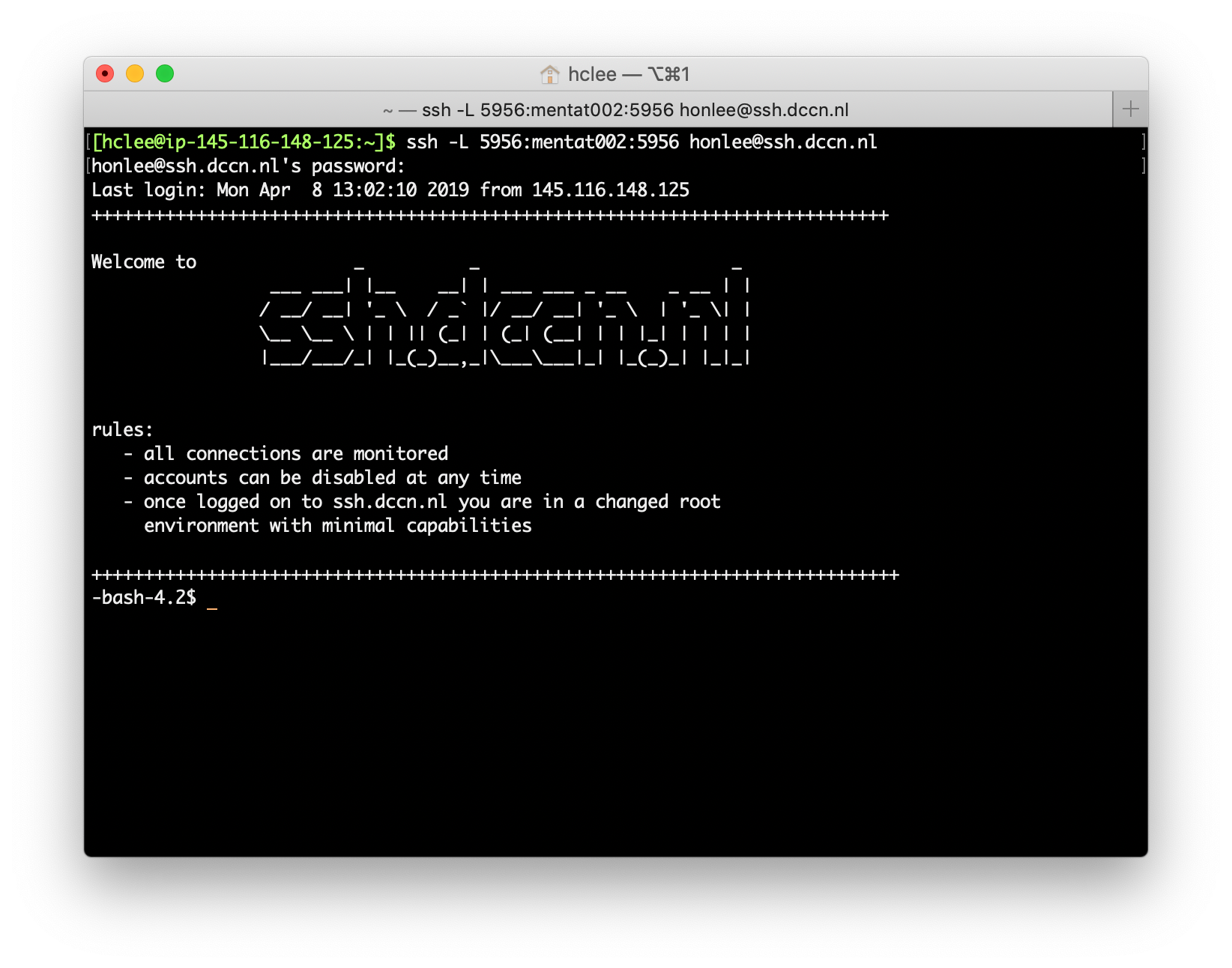
SSH tunneling is one of the most secure ways to forward ports. It encrypts all traffic between your local machine and the remote server, making it nearly impossible for attackers to intercept or tamper with your data.
How to Set Up an SSH Tunnel
- Open your terminal and run this command:
ssh -L 8080:localhost:80 user@remote-server2. Access your service via localhost:8080 on your machine.
- Use RequestBin.net to capture and inspect the requests, ensuring they’re encrypted and secure.
2. Configure Firewalls to Limit Access
Firewalls act as a barrier, controlling who can access your forwarded ports. By allowing only specific IP addresses, you reduce the risk of unauthorized connections.
Steps to Configure Your Firewall
- On Linux (using iptables):
iptables -A INPUT -p tcp --dport 8080 -s 192.168.1.0/24 -j ACCEPT- This rule allows only devices from the 192.168.1.0/24 subnet to access port 8080.
- On Windows:
- Open Windows Defender Firewall.
- Create a new inbound rule for your port, specifying allowed IP addresses.
Test your setup with RequestBin.net to ensure only authorized IPs can send requests.
3. Monitor and Log Activity for Anomalies
Regular monitoring helps you spot suspicious activity early. Logging all incoming requests lets you quickly identify and respond to potential threats.
How to Monitor Requests
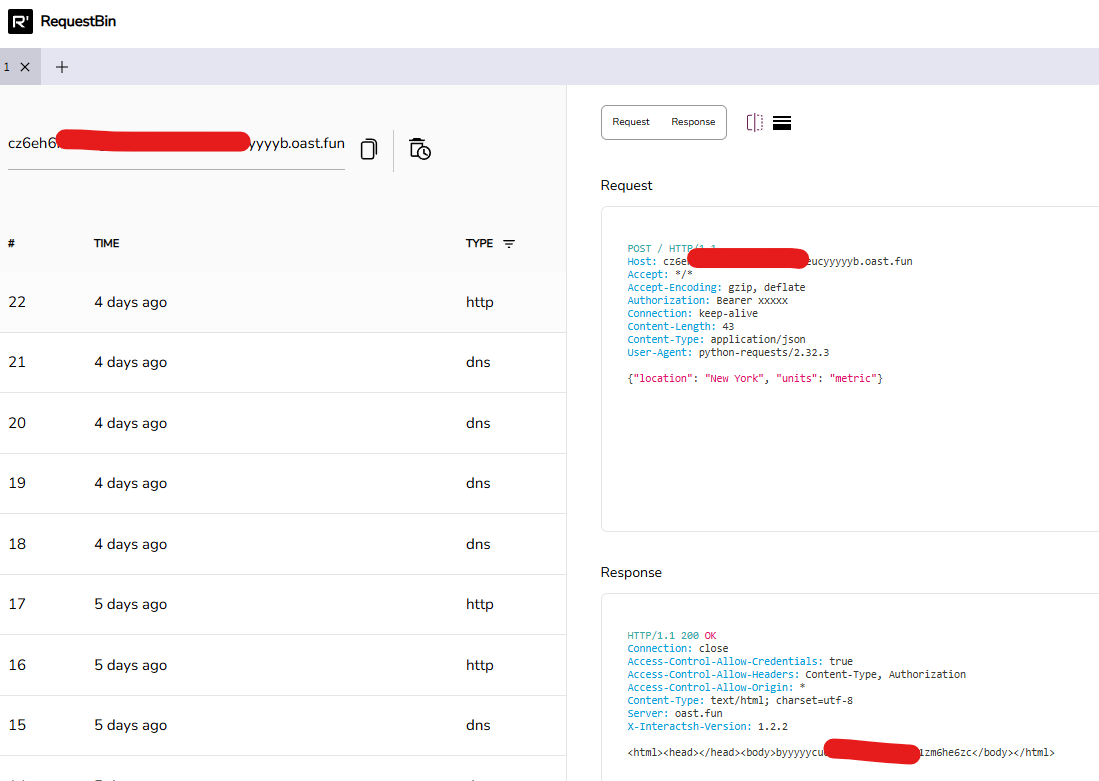
- Set up logging on your server or use RequestBin.net to capture all incoming requests.
- Regularly review logs for unusual patterns, like repeated failed attempts or requests from unknown IPs.
- Use RequestBin.net’s dashboard to inspect request headers and payloads for signs of tampering.
4. Use Strong Authentication Methods
Weak authentication is a common entry point for attackers. Always use SSH keys instead of passwords for port forwarding to prevent brute-force attacks.
Best Practices for Authentication
- Generate SSH keys with:
ssh-keygen -t rsa -b 4096- Store your keys securely and rotate them regularly.
- Disable password-based authentication in your SSH configuration to enforce key usage.
This ensures only authorized users can access your forwarded ports.
5. Disable Unused Ports to Minimize Risks
Every open port is a potential vulnerability. Disable any ports not actively used for testing to reduce your attack surface.
How to Disable Unused Ports
- On Linux: Use ufw or iptables to block unnecessary ports:
ufw deny 22- On Windows: Close unused ports via the Windows Defender Firewall settings.
Focus only on the ports needed for your current testing session, like port 8080 for API debugging.
6. Test Your Setup with RequestBin.net
Before going live, verify your port forwarding setup with RequestBin.net. This ensures that only intended requests are captured and your security measures are working.
Steps to Test
- Create a new bin on RequestBin.net.
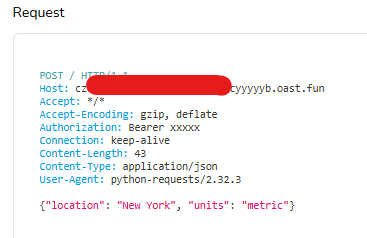
- Send a test request through your forwarded port.
- Check the bin to confirm the request was captured correctly.
- Review the request details to ensure no unexpected data or headers are present.
Best Practices for Developers
To maximize security while using port forwarding, follow these tips:
- Use VPNs for Extra Protection: Combine port forwarding with a VPN for an additional layer of encryption.
- Rotate SSH Keys Regularly: Change your SSH keys periodically to reduce the risk of compromised credentials.
- Limit Exposure Time: Only keep ports forwarded for as long as necessary, closing them immediately after testing.
Regional Insights: Why This Matters for You
Developers in the US, UK, Canada, Australia, and New Zealand are increasingly adopting remote work and IoT testing, where secure port forwarding is essential. For example:
- US Developers: Tech hubs like Silicon Valley rely on secure port forwarding for testing APIs in distributed teams.
- Australian Developers: IoT startups in Sydney prioritize secure device connectivity.
- New Zealand Developers: Remote work trends demand secure tools for home office setups.
These techniques protect your systems and align with the needs of your local tech community.
Conclusion
Secure port forwarding is a must for developers who need to test and debug applications without compromising security. By using SSH tunnels, configuring firewalls, monitoring activity, and testing with RequestBin.net, you can ensure your workflows are both efficient and safe. Start implementing these techniques today to protect your systems and streamline your development process.