How to Test API Integrations Using RequestBin.net
Struggling with API integrations? Learn how to use RequestBin.net to capture and debug HTTP requests. This step-by-step guide simplifies testing and troubleshooting.


Testing API integrations is a critical step in ensuring your applications communicate seamlessly. Whether you’re sending data to a third-party service or building your own API, verifying that HTTP requests work as expected can save hours of debugging. RequestBin.net makes this process effortless by letting you capture and inspect requests in real-time. In this step-by-step guide, we’ll show you how to use RequestBin.net to test your API integrations, troubleshoot issues, and optimize your workflow—all with detailed screenshots to guide you.
With features like HTTP request inspection, DNSBin, and Interactsh integration, RequestBin.net is a versatile tool trusted by developers worldwide. Let’s dive in and learn how to test your APIs like a pro!
Why Use RequestBin.net for API Testing?
APIs power modern software, but when they fail—due to incorrect payloads, missing headers, or network glitches—pinpointing the problem can be tough. RequestBin.net solves this by:
- Providing a unique URL (a "bin") to capture incoming HTTP requests.
- Displaying detailed request data—methods, headers, and bodies—in a user-friendly dashboard.
- Offering real-time updates for instant feedback.
Whether you’re debugging a simple GET request or a complex POST with JSON, RequestBin.net simplifies API testing. Plus, its advanced features, like integration with Interactsh for security testing, make it a standout choice.
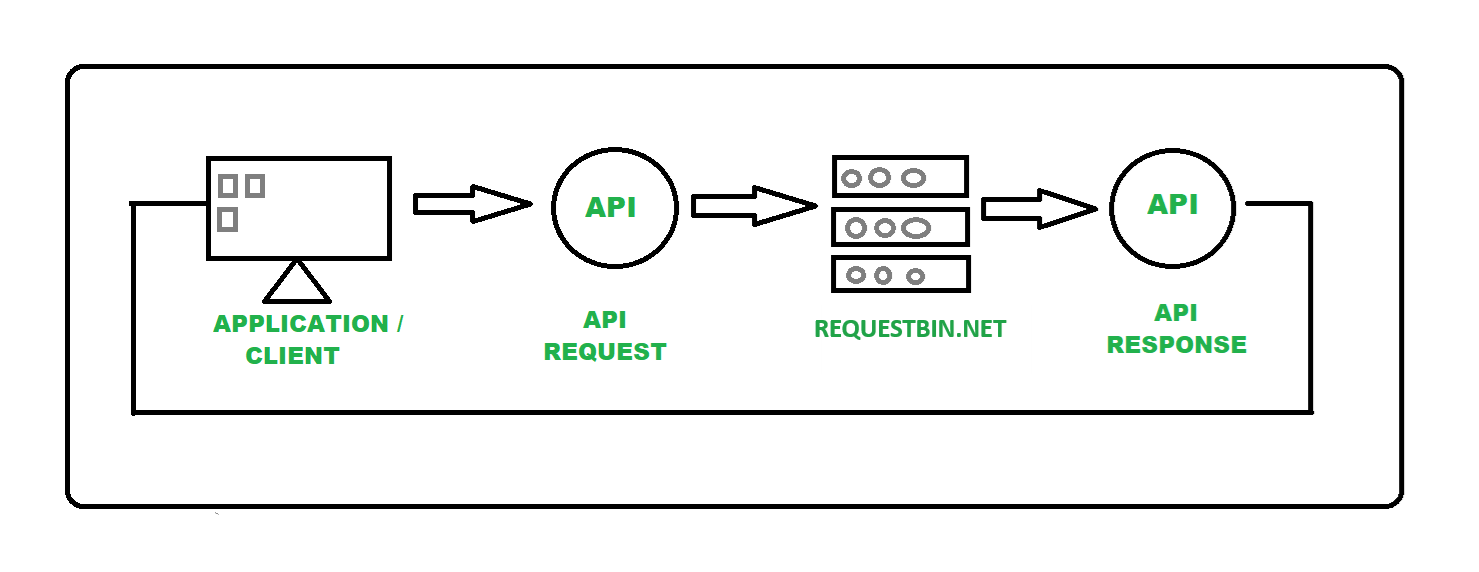
Step-by-Step Guide to Testing API Integrations
Step 1: Create a Request Bin
Your first step is to set up a bin to capture API requests.
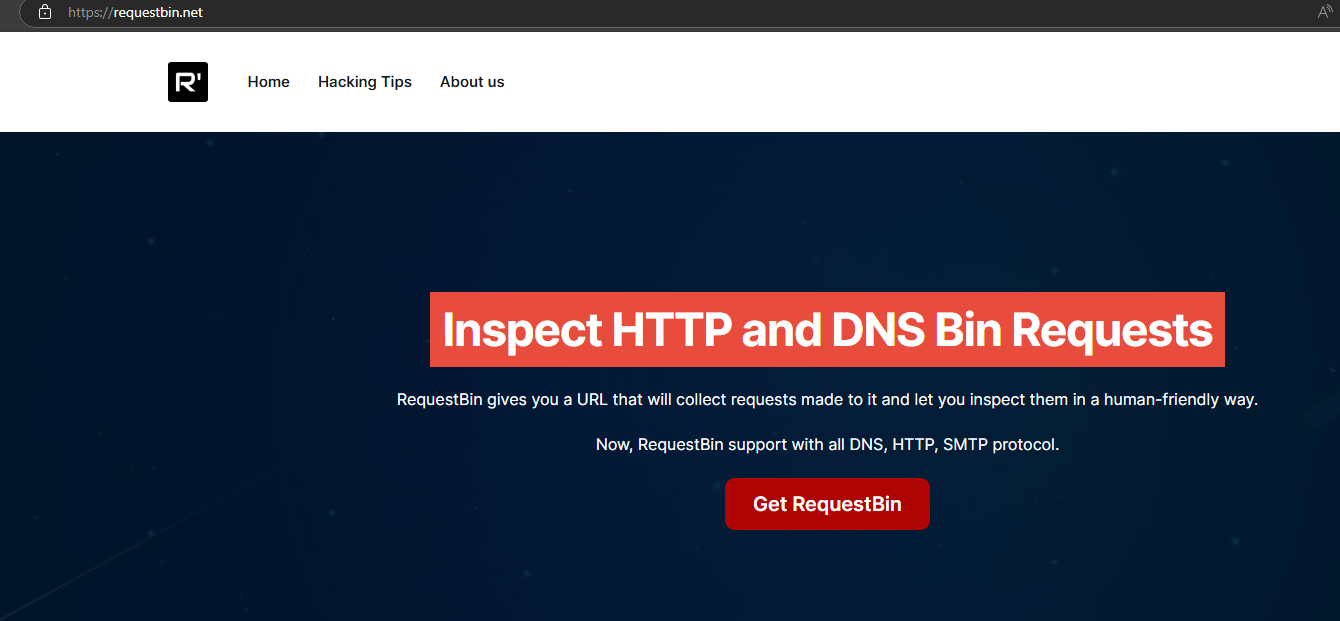
- Navigate to RequestBin.net.
- Click the "Get RequestBin" button.
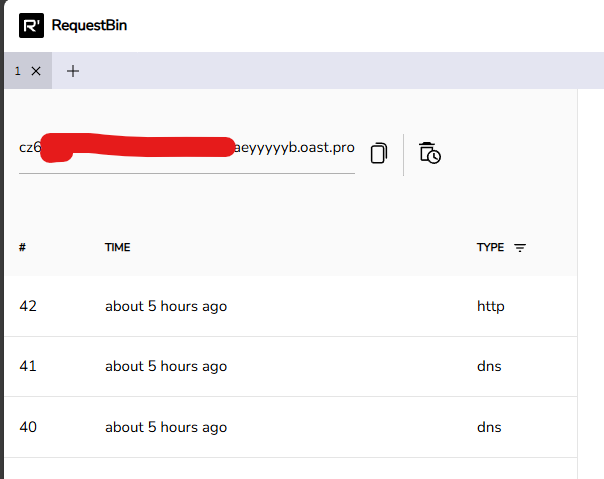
- Copy the unique URL provided (e.g., https://<id>.oast.pro).
Step 2: Configure Your API to Use the Bin
Now, redirect your API’s requests to the bin URL.
- Identify the API endpoint you want to test (e.g., https://api.example.com/data).
- Temporarily update your application or script to send requests to your RequestBin URL instead.
- Ensure headers (like Authorization) and payloads (like JSON data) are included as needed.
For example, if you’re testing a weather API, replace its endpoint with your bin URL in your code or configuration.
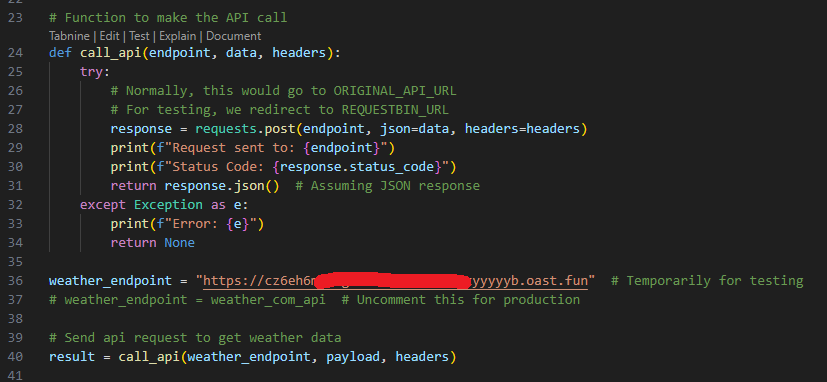
Step 3: Send a Test Request
Trigger the API call to see it in action.
- From Your App: Run your application to send the request naturally.
- Manually with curl: Use your terminal:
curl -X POST -H "Content-Type: application/json" -d '{"key":"value"}' https://cz6eh6xxxyyyb.oast.fun/testapi- Using Postman: Create a new request, set the method (e.g., POST), enter your bin URL, add headers and a body, then click Send.
The request will appear in your bin instantly.
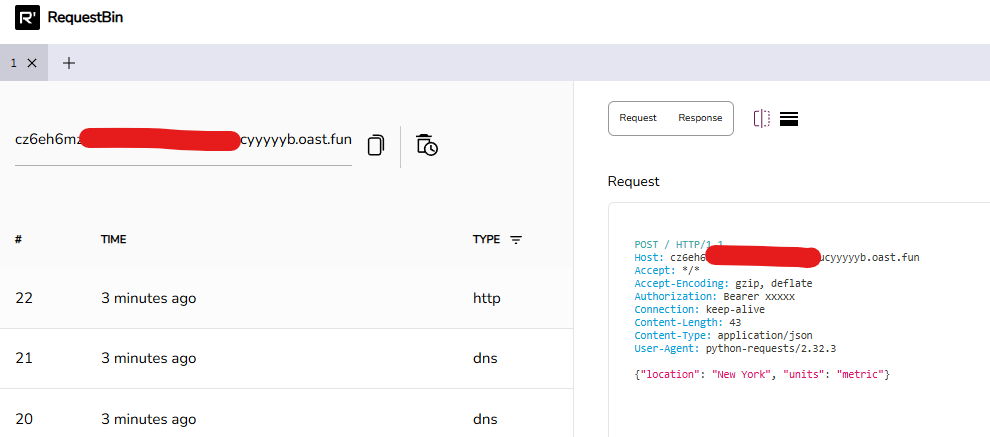
Step 4: Inspect the Captured Request
Head back to RequestBin.net to analyze the request.
- In the dashboard, find your request in the left panel.
- Click it to view:
- HTTP Method: GET, POST, etc.
- Headers: Content-Type, Authorization, etc.
- Body: JSON, form data, or other payloads.
- Query Parameters: If applicable.
- Verify everything matches your API’s requirements.
Step 5: Troubleshoot Common Issues
If something’s off, use the captured data to fix it.
- Wrong Endpoint: Confirm the URL matches your bin.
- Missing Headers: Check for required fields like Content-Type or Authorization.
- Payload Errors: Ensure the body is formatted correctly (e.g., valid JSON).
For example, if your API expects {"user_id": 123} but you see {"user": 123}, adjust your request accordingly.
Step 6: Optimize Your Testing Workflow
Maximize efficiency with these best practices:
- Use Separate Bins: Create a new bin for each test to keep things organized.
- Secure Sensitive Data: Always use private bins for confidential APIs.
- Share with Teams: Copy the bin URL to collaborate on debugging.
Conclusion
Testing API integrations doesn’t have to be a guessing game. With RequestBin.net, you can capture, inspect, and troubleshoot HTTP requests in minutes. From setting up a bin to analyzing payloads, this guide has you covered. Ready to streamline your API testing? Head to RequestBin.net and start today!