How to Make POST & GET Requests Online — A Deep Dive into the RequestBin HTTP Requester
Send and inspect HTTP requests online. Test GET and POST APIs with RequestBin HTTP Requester — free, private, and developer-first.


Modern web development revolves around APIs. Whether you’re testing webhooks, integrating third-party services, or debugging endpoints, making HTTP POST and GET requests is an essential part of your workflow.
But not every developer wants to spin up Postman, install heavy desktop tools, or worry about exposing tokens when testing quick API calls. That’s exactly why we built the HTTP Requester App — a fast, browser-based tool to build, send, and inspect HTTP requests online.
Understanding HTTP Requests: GET vs POST
Before jumping into the tool, let’s quickly recap the two most common HTTP methods — GET and POST.
| Method | Purpose | Typical Use Case |
|---|---|---|
| GET | Retrieve data from a server | Fetching user data, reading APIs |
| POST | Send data to a server | Submitting forms, uploading JSON, triggering webhooks |
💡 Think of GET as reading data and POST as writing or sending data.
Example
# GET request
curl https://api.example.com/users

# POST request
curl -X POST https://api.example.com/users \
  -H "Content-Type: application/json" \
  -d '{"name": "Alice"}'
Now let’s see how to achieve this entirely online using the RequestBin HTTP Requester.
Introducing the HTTP Requester App
HTTP Requester is a lightweight web app that lets you:
- Build and send HTTP requests directly in your browser
- Customize headers, query parameters, and authentication
- Inspect responses in real-time (headers, body, timing, status)
- Save request history locally (no login required)
- Integrate with your RequestBins for debugging or logging
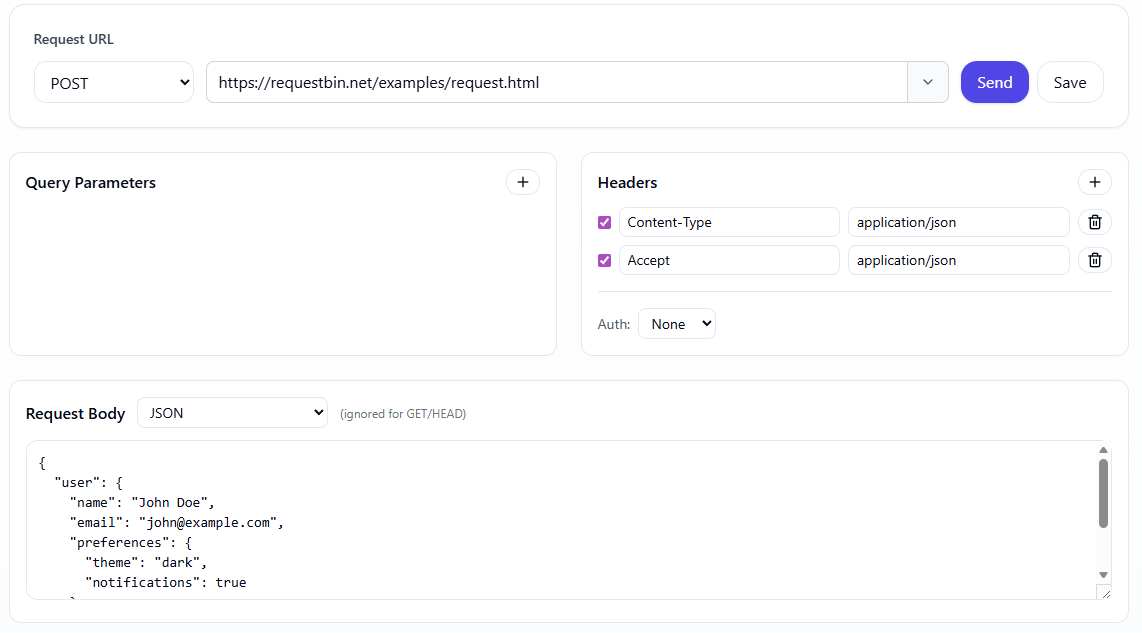
No extensions. No backend. No data collection — everything runs client-side for privacy and speed.
How It Works — The Architecture
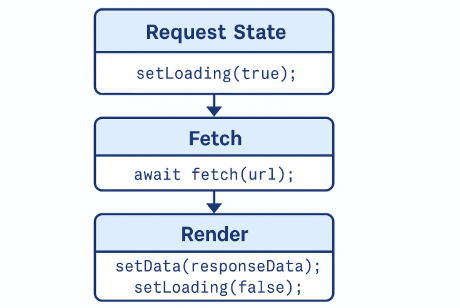
At its core, the HTTP Requester is built around a Request Builder → Sender → Response Viewer pipeline.
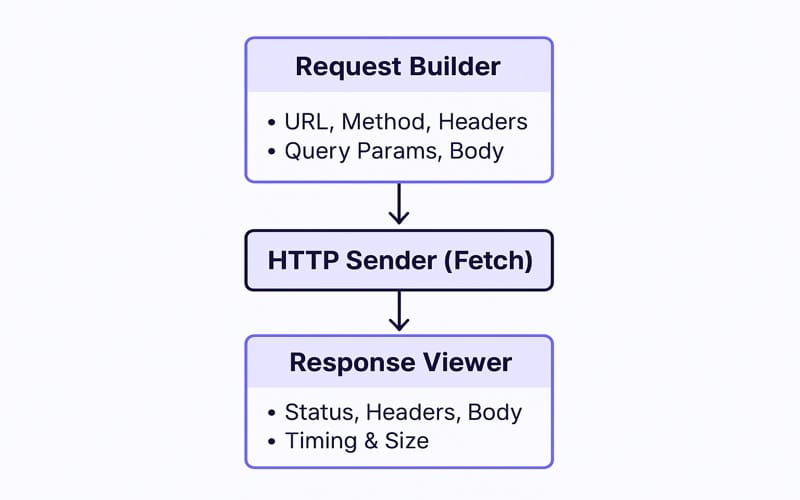
This architecture mirrors real-world HTTP communication — what you see is what your API endpoint receives.
Making a GET Request Online
Let’s walk through a simple example.
Step 1 — Open the App
Go to RequestBin HTTP Requester.
Step 2 — Set Method and URL
Choose GET and enter an API endpoint, for example:
https://requestbin.net/examples/request.html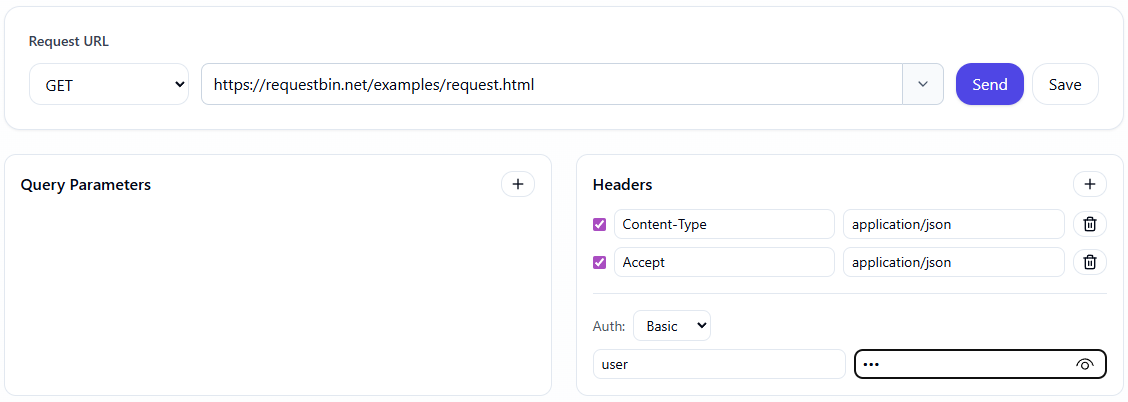
Step 3 — Add Optional Headers
If the API requires authentication or custom headers, add them in the “Headers” section:
| Header | Value |
|---|---|
| Authorization | Bearer <token> |
| Accept | application/json |
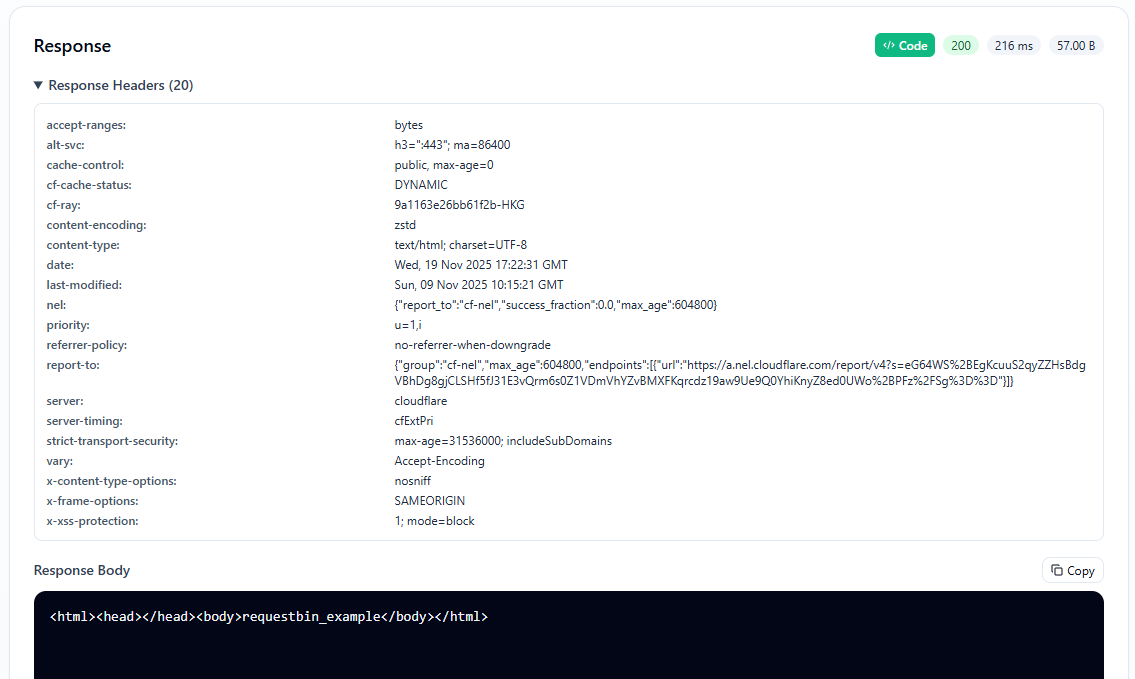
Step 4 — Send & Inspect
Click Send Request — the tool will fetch and render the response below:
{
  "userId": 1,
  "id": 1,
  "title": "Sample Post",
  "body": "Lorem ipsum dolor sit amet..."
}
You can inspect:
- Status Code (
200 OK) - Response Headers
- Total Request Time
Making a POST Request Online
Now let’s test sending data with a POST request.
Step 1 — Choose POST and URL
https://requestbin.net/examples/request.htmlStep 2 — Add Headers
Content-Type: application/json
Step 3 — Write Request Body
Switch to Body → JSON and paste:
{
  "title": "RequestBin Demo",
  "body": "Testing POST request online",
  "userId": 42
}
Step 4 — Send and View Response
Click Send and you’ll receive a 201 response:
{
  "id": 101,
  "title": "RequestBin Demo",
  "body": "Testing POST request online",
  "userId": 42
}
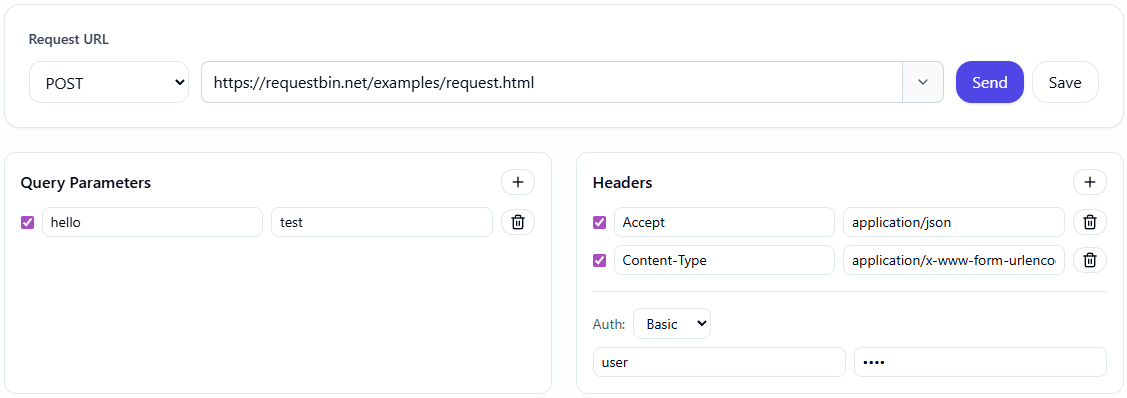
✅ Pro Tip: You can switch between Raw, Pretty, and Parsed JSON views to inspect the response body more effectively.
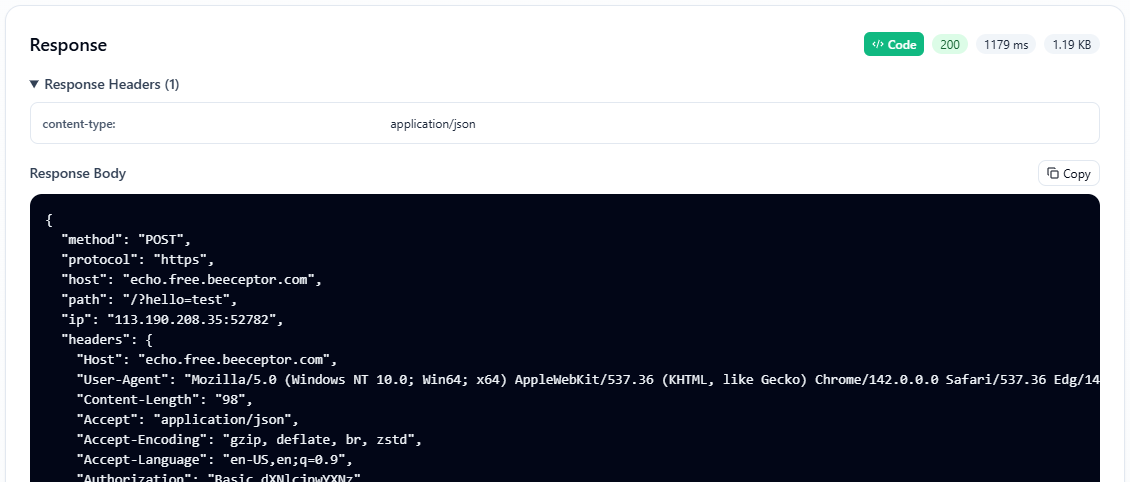
Using RequestBin with HTTP Requester
The real power comes when you connect HTTP Requester with your RequestBins.
You can:
- Select a Bin as the request destination (from dropdown)
- Automatically log requests to a Bin
- Replay captured requests directly from your Bin
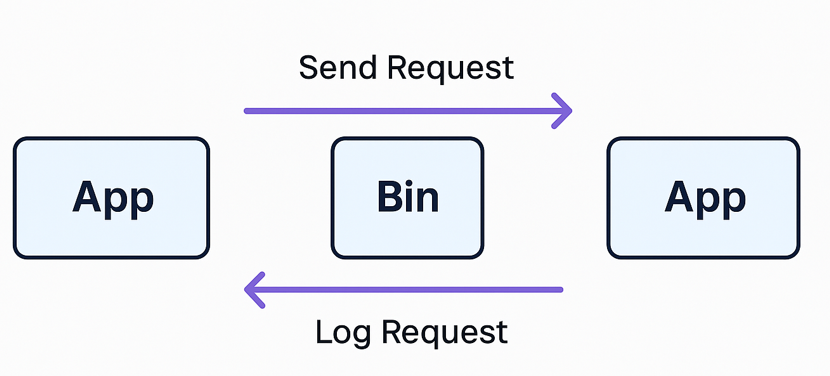
This lets you test real-world API flows — like webhooks, callbacks, or client SDK behavior — all within a single ecosystem.
Common Use Cases
| Scenario | How HTTP Requester Helps |
|---|---|
| Webhook Testing | Send mock POSTs to your RequestBin and inspect payloads |
| API Prototyping | Quickly test endpoints without leaving browser |
| Authentication Debugging | Experiment with tokens, cookies, and headers |
| Learning HTTP | See headers, status, and timing in real time |
Technical Highlights
- Pure browser-based Fetch API — no backend proxy
- Local Storage History — save and recall past requests
- JSON & Form body support — auto-encoded content types
- Syntax-highlighted responses for readability
- Secure context enforced — HTTPS only
🔒 Privacy by Design
Everything you do inside the HTTP Requester stays local. No tracking, no logging — all requests are executed directly from your browser, respecting developer privacy and security.
🛡️ All processing happens client-side. The only data sent over the network is your own HTTP request.
Upcoming Features
The team is already working on:
- Multi-request tabs
- Environment variables
- OAuth2 and Basic Auth presets
- Request collections
- Integration with the cURL Converter and HTTP Code Generator apps
Stay tuned for updates on our GitHub Discussions.
Summary
| Feature | Description |
|---|---|
| GET & POST requests online | Test endpoints instantly |
| No install, no account | 100% browser-based |
| Real-time response viewer | Headers, body, timing |
| RequestBin integration | Connect and log requests |
| Free forever | Built by developers, for developers |
🚀 Try It Now
👉 Make your first HTTP request online
Test, debug, and inspect your APIs — directly from your browser.