How to Check for CVE-2025-23120 Vulnerability Using Nuclei: A Step-by-Step Guide
Learn how to detect CVE-2025-23120 in Veeam Backup & Replication using a custom Nuclei template. Step-by-step guide with code and images.


In today’s cybersecurity landscape, staying ahead of vulnerabilities like CVE-2025-23120 is crucial for protecting your systems. This critical vulnerability in Veeam Backup & Replication allows authenticated domain users to execute remote code, posing a severe risk to backup infrastructures. Fortunately, tools like Nuclei make it easy to scan and detect such threats efficiently. In this guide, we’ll walk you through how to use a custom Nuclei template to check for CVE-2025-23120, ensuring your systems are secure. Whether you’re a security professional or a system administrator, this article is designed to be your go-to resource.
What is CVE-2025-23120?
CVE-2025-23120 is a critical remote code execution (RCE) vulnerability in Veeam Backup & Replication, identified on March 19, 2025. With a CVSS score of 9.9, it affects versions prior to 12.3.1 (build 12.3.1.1139), including 12.3.0.310 and earlier version 12 builds. The flaw stems from a deserialization issue, allowing authenticated domain users to run arbitrary code on affected systems. Given the widespread use of Veeam in enterprise backup solutions, detecting and mitigating this vulnerability is a top priority.
Why Use Nuclei for CVE-2025-23120 Detection?
Nuclei is an open-source vulnerability scanner that uses YAML-based templates to automate security checks across web applications, networks, and more. Its speed, flexibility, and community-driven template library make it ideal for identifying vulnerabilities like CVE-2025-23120. Here’s why Nuclei stands out:
- Fast Scanning: Scan thousands of hosts in minutes.
- Customizable Templates: Tailor checks to specific vulnerabilities.
- No Authentication Needed: Detects version-based indicators without credentials.
In this guide, we’ll use a Nuclei template to check the Veeam web console for vulnerable versions, optimizing our approach for efficiency and accuracy.
Step-by-Step Guide to Scanning CVE-2025-23120 with Nuclei
Step 1: Install Nuclei
First, ensure Nuclei is installed on your system. If you haven’t set it up yet, follow these commands based on your operating system:
- Linux/MacOS:
go install -v github.com/projectdiscovery/nuclei/v3/cmd/nuclei@latest- Windows: Download the pre-built binary from the Nuclei GitHub releases page.
Verify the installation:
nuclei -version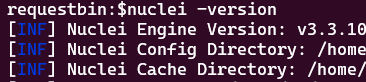
Step 2: Understand the Detection Method
Since CVE-2025-23120 requires authentication for exploitation, direct testing via Nuclei isn’t practical without credentials. Instead, we’ll check the Veeam web console (typically on port 9415 at /ui/login) for version numbers indicating vulnerability (e.g., "v12.0.", "v12.1.", "v12.2.", "v12.3.0."). The patched version, 12.3.1, should not trigger our template.
Step 3: Create the Nuclei Template
Here’s a custom Nuclei template to detect CVE-2025-23120. Save this as cve-2025-23120.yaml:
id: cve-2025-23120

info:
  name: Veeam Backup & Replication CVE-2025-23120
  author: requestbin.net
  severity: critical
  description: Detects Veeam Backup & Replication versions vulnerable to CVE-2025-23120, a critical RCE flaw.
  reference:
    - https://www.veeam.com/kb4724
  tags: cve, cve2025, veeam, rce

http:
  - method: GET
    path:
      - "{{BaseURL}}/ui/login"
    port: 9415
    matchers-condition: or
    matchers:
      - type: word
        part: body
        words:
          - "v12.0."
      - type: word
        part: body
        words:
          - "v12.1."
      - type: word
        part: body
        words:
          - "v12.2."
      - type: word
        part: body
        words:
          - "v12.3.0."
The Nuclei template for CVE-2025-23120 detection.
This template:
- Targets the login page on port 9415.
- Uses "or" condition to match any vulnerable version string in the response body.
Step 4: Run the Scan
With the template ready, scan your target(s) using this command:
nuclei -u https://your-veeam-server:9415 -t cve-2025-23120.yamlFor multiple targets, use a file (e.g., targets.txt):
nuclei -l targets.txt -t cve-2025-23120.yamlOutput will indicate if a vulnerable version is detected:
[cve-2025-23120] [http] [critical] https://your-veeam-server:9415/ui/loginStep 5: Interpret Results and Act
- Positive Match: If Nuclei flags a target, it’s running a potentially vulnerable version. Verify manually and update to 12.3.1 (build 12.3.1.1139) as per Veeam’s advisory.
- No Match: Likely patched or not vulnerable, but confirm the version manually to rule out false negatives (e.g., if the version isn’t displayed).
Tips for Effective Scanning
- Update Nuclei Regularly: Run nuclei -update to keep the tool current.
- Adjust Rate Limits: Use -rate-limit 50 to avoid overwhelming servers.
- Validate Findings: Cross-check results with manual inspection, as version display may vary.
Conclusion
Detecting CVE-2025-23120 with Nuclei is a straightforward yet powerful way to safeguard your Veeam Backup & Replication deployments. This guide has equipped you with a custom Nuclei template and the know-how to scan effectively. Don’t wait—run your scans today and stay ahead of potential threats.