How our Ghost blog got hit by CVE-2026-26980 + CVE-2026-29053 (and the backdoor that survived a full rebuild)
A real, remediated Ghost CMS compromise via CVE-2026-26980 + CVE-2026-29053 — including a database-level backdoor that survived a full server rebuild, and the session-secret issue that let it happen again two days later.

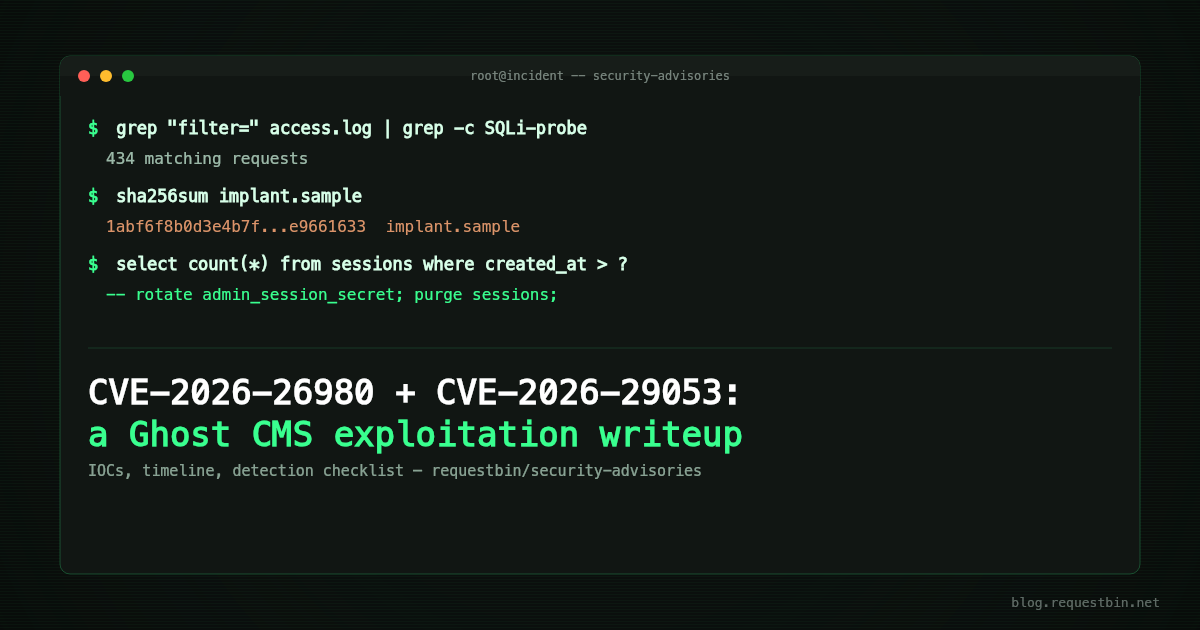
On October 3rd, this blog — a small, personal/company Ghost install, not our main product — got compromised. Not through a leaked password or a misconfigured server, but through a chained, unauthenticated exploit against Ghost CMS itself: CVE-2026-26980 (blind SQL injection in the public Content API) combined with CVE-2026-29053 (remote code execution via a malicious theme upload).
Both CVEs were already public and patched upstream (fixed in Ghost 6.19.1) before we're publishing this. We were running 6.0.5. This post isn't new vulnerability research — it's a writeup of what real-world exploitation of a known, patched vulnerability actually looks like from the receiving end, plus the indicators of compromise (IOCs) and detection checklist we wish we'd had going in.
What happened, in short
An attacker used the SQL injection to silently extract our Ghost Admin API credentials from the database — through a public, unauthenticated endpoint, over several hours of low-and-slow probing that didn't trip any alarm. With that key, they uploaded a malicious theme containing a template that, when rendered, escaped into Node's runtime and executed arbitrary shell commands. That dropped a generic Linux botnet implant (reverse shell, persistence via .bashrc, the usual), and — as a side effect we didn't expect — killed an unrelated backend process running on the same box, which is actually how we found out something was wrong at all (an uptime monitor fired).
We contained it, did full forensics, rebuilt the server from scratch, upgraded Ghost, rotated every credential reachable from that box, and added real process isolation so a compromise of one service can't read another service's secrets anymore.
The part most writeups like this don't cover
Here's the detail we think is actually worth sharing beyond "patch your CVEs": our rebuild plan was "wipe the VPS, reinstall everything clean, rotate every secret." Textbook. What we didn't immediately account for is that Ghost's database lives external to the VPS (for durability) — so wiping the server doesn't wipe the data, and restoring that data after the rebuild is the correct thing to do for getting your real content back.
It also faithfully restores anything the attacker wrote into that database during the compromise. In our case: a new Admin API integration, created directly through the stolen key, named to blend in with Ghost's real built-in integrations, with full administrator rights. That's a backdoor that lives entirely in application data, not on disk — so it sailed straight through a from-scratch VPS rebuild and was quietly active again the moment the database came back online.
We only caught it because we went looking — manually auditing the integrations and api_keys tables before putting the site back online, which was not originally on our rebuild checklist. If you're ever recovering from a compromise where the app database survives (which, for most hosted-DB setups, it will), add that audit step. "Rebuild from scratch" feels complete; it isn't, if the data layer wasn't scratch too.
Full technical writeup + IOCs
We've published the full advisory — exploitation timeline, log signatures, the implant's behavior, detection queries you can run against your own Ghost instance, and defanged samples (hashes, dropper script, redacted exploit template) — as the first entry in a new public dataset repo we're starting for incidents like this one:
github.com/requestbin/security-advisories
We're not publishing a working exploit payload — the CVE records and existing public PoC repos already cover reproduction for anyone who needs it for testing their own patched status. What we're adding is confirmation this was actively exploited in the wild, the exact signature it leaves behind, and the database-backdoor angle that we haven't seen covered elsewhere.
Detection: the exact commands we ran
If you want to check your own Ghost instance rather than just reading about ours, here's the real detection pass, not a sanitized summary of one.
1. Check the Ghost version and the access log signature:
ghost version
# anything < 6.19.1 is affected by both CVEs

grep -E '"GET /ghost/api/content/(posts|pages)/.*filter=' /var/log/nginx/access.log \
  | grep -cE "filter=[^&\"]{60,}"
# a high count of long, near-identical filter= values on a public,
# unauthenticated endpoint is the blind-SQLi extraction signature
2. Check for uploaded themes you don't recognize:
ls -la content/themes/
# 7-10 character random lowercase alphanumeric directory names
# (we saw: bsluysmmwh, bvnqfvrcra, byeqejhok, dkyesstigpcxp,
#  knwriqen, wwbszezqamc, xfazkkqrvt, tzvfcdbuxbitnl) are the signal,
# not a theme name you'd recognize from the marketplace
3. Audit the database directly — this is the step most "just reinstall it" advice skips:
-- anything here you didn't configure yourself is suspect
SELECT id, name, slug, type, created_at FROM integrations;
SELECT id, type, role_id, integration_id, last_seen_at FROM api_keys;
SELECT id, name, email, status, created_at FROM users ORDER BY created_at DESC LIMIT 10;
SELECT id, event, target_url FROM webhooks;

-- and the part we initially missed: anything that signs a session
-- or a cookie is a secret too, even if it doesn't look like an API key
SELECT `key` FROM settings WHERE `key` LIKE '%secret%' OR `key` LIKE '%token%';
SELECT session_id, user_id, created_at FROM sessions ORDER BY created_at DESC LIMIT 20;
4. If you find a session created in a window you can't account for, don't just change the account password — rotate the signing secret and clear the table:
-- forces every active session to re-authenticate, including legitimate ones
UPDATE settings SET value =  WHERE `key` = 'admin_session_secret';
UPDATE settings SET value =  WHERE `key` = 'theme_session_secret';
DELETE FROM sessions;
5. Read Ghost audit log, then check every admin key — this is the step that would have saved us a week:
-- who is actually changing things? (look for an integration you do not use)
SELECT created_at, actor_type, actor_id, event, resource_type
FROM actions ORDER BY created_at DESC LIMIT 100;

-- every admin-capable key, built-in or not, bound to an integration OR a user
-- (start from api_keys; do NOT LEFT JOIN from integrations, it hides user-bound keys)
SELECT id, type, role_id, integration_id, user_id, created_at
FROM api_keys WHERE type = 'admin';
The implant itself we're not giving you a reproduction recipe for — the dropper is generic Mirai/Gafgyt-family (nothing Ghost-specific, published as-is in the dataset since there's nothing to protect by hiding it), but the actual RCE trigger is redacted in both the writeup and the samples repo. The commands above are enough to tell you whether you've been hit; the CVE records have what you need to verify a patch actually closes the hole.
If you run self-hosted Ghost
- Check your version: anything below 6.19.1 is affected. Upgrade.
- Check
content/themes/for directories with random alphanumeric names you don't recognize. - Audit your database directly —
integrations,api_keys,users,webhooks— even if the site looks fine. The full queries are in the advisory. - Don't share a system user between Ghost and anything else running on the same box.
We'll keep adding to the security-advisories repo as we encounter and fully remediate future incidents.
Update: two more attempts, and the mistake in our first write-up
Two days after the rebuild, and again on October 12th, the same theme-upload technique showed up: a new randomly-named theme, a single payload page, the same command-and-control server, the same activate / create-a-page / visit / switch-back / delete choreography. The theme flipping back to Ghost's default is what finally got noticed.
Correction: an earlier version of this post, and of the advisory it links to, blamed a replayed or forged admin session cookie. That was a hypothesis we published before we had proved it, and it was wrong. The attacker never logged in — there isn't a single POST /ghost/api/admin/session from them. They used an Admin API key. Ghost's own error log gave it away (API tokens do not have permission to access this endpoint on exactly the endpoints Ghost refuses to token callers), and Ghost's audit table, actions, settled it: every malicious action across all three rounds — including the original October 3rd campaign — was performed by the same actor, Ghost's built-in "Zapier" integration.
That integration's admin key was among the rows the original SQL injection read out of api_keys. Nobody uses it, which is precisely why it looked harmless during our audit: we hunted for integrations we didn't recognize, rotated the one we owned, and treated built-ins as trusted by definition. Worse, the query we used to list keys started from the integrations table, so it silently hid a second Administrator-level key attached to the owner's user rather than to an integration. Both survived the "full rebuild" untouched, because the database did.
The RCE did not fire either time — Ghost had long since been upgraded, and the template helper now rejects the payload with an IncorrectUsageError: {{#get}} helper — unsupported path segment — and a full OS-level audit after each round came back clean. But a stolen admin key on a patched Ghost can still upload and activate themes, create and delete pages, and change what your site serves. We've rotated every admin-type key, built-in or not, and made a stolen key non-fatal structurally: the Ghost process can no longer write to its themes directory (ReadOnlyPaths= in the systemd unit), and theme upload/install is denied at the reverse proxy unless we deliberately open it.
The lesson we'd put first: after a SQL injection that could read your credential tables, assume every credential in the database is burned, built-ins included — and audit the credential table directly, from its own side, not through a join that starts somewhere else. Ghost's actions table tells you which credential is being used against you. We should have read it on day one.
Detection: the exact commands we ran
If you want to check your own Ghost instance rather than just reading about ours, here's the real detection pass, not a sanitized summary of one.
1. Check the Ghost version and the access log signature:
ghost version
# anything < 6.19.1 is affected by both CVEs

grep -E '"GET /ghost/api/content/(posts|pages)/.*filter=' /var/log/nginx/access.log \
  | grep -cE "filter=[^&\"]{60,}"
# a high count of long, near-identical filter= values on a public,
# unauthenticated endpoint is the blind-SQLi extraction signature
2. Check for uploaded themes you don't recognize:
ls -la content/themes/
# 7-10 character random lowercase alphanumeric directory names
# (we saw: bsluysmmwh, bvnqfvrcra, byeqejhok, dkyesstigpcxp,
#  knwriqen, wwbszezqamc, xfazkkqrvt, tzvfcdbuxbitnl) are the signal,
# not a theme name you'd recognize from the marketplace
3. Audit the database directly — this is the step most "just reinstall it" advice skips:
-- anything here you didn't configure yourself is suspect
SELECT id, name, slug, type, created_at FROM integrations;
SELECT id, type, role_id, integration_id, last_seen_at FROM api_keys;
SELECT id, name, email, status, created_at FROM users ORDER BY created_at DESC LIMIT 10;
SELECT id, event, target_url FROM webhooks;

-- and the part we initially missed: anything that signs a session
-- or a cookie is a secret too, even if it doesn't look like an API key
SELECT `key` FROM settings WHERE `key` LIKE '%secret%' OR `key` LIKE '%token%';
SELECT session_id, user_id, created_at FROM sessions ORDER BY created_at DESC LIMIT 20;
4. If you find a session created in a window you can't account for, don't just change the account password — rotate the signing secret and clear the table:
-- forces every active session to re-authenticate, including legitimate ones
UPDATE settings SET value =  WHERE `key` = 'admin_session_secret';
UPDATE settings SET value =  WHERE `key` = 'theme_session_secret';
DELETE FROM sessions;
The implant itself we're not giving you a reproduction recipe for — the dropper is generic Mirai/Gafgyt-family (nothing Ghost-specific, published as-is in the dataset since there's nothing to protect by hiding it), but the actual RCE trigger is redacted in both the writeup and the samples repo. The commands above are enough to tell you whether you've been hit; the CVE records have what you need to verify a patch actually closes the hole.
If you run self-hosted Ghost
- Check your version: anything below 6.19.1 is affected. Upgrade.
- Check
content/themes/for directories with random alphanumeric names you don't recognize. - Audit your database directly —
integrations,api_keys,users,webhooks— even if the site looks fine. The full queries are in the advisory. - Don't share a system user between Ghost and anything else running on the same box.
We'll keep adding to the security-advisories repo as we encounter and fully remediate future incidents.
Update, two days later: a second attempt, and what we missed the first time
Two days after the rebuild, the blog's theme silently flipped back to Ghost's default. Chasing that cosmetic symptom turned into a second investigation: someone had logged into /ghost/ through a normal browser session — not a stolen API key this time — and repeated the exact same theme-upload RCE technique, pointed at the same command-and-control server. They activated the malicious theme, visited a test page to trigger it, then cleaned up after themselves.
The RCE didn't fire this time — a full OS-level audit (processes, cron, SSH keys, systemd units, outbound connections) came back clean, most likely because Ghost had since been upgraded past the patched version and the process-isolation hardening we'd just added held. But the access itself was real, and the obvious question was: how, with a strong password that wasn't going to fall to offline cracking in two days?
The answer: Ghost signs admin session cookies with a secret stored in the same application database our original SQL injection could read. We'd rotated every credential we thought of after the first compromise — database, cache, API keys — but a cookie-signing secret doesn't look like a "credential" on a typical rotation checklist, so it survived untouched. We also found a session row for the legitimate account, created hours after the original attack, sitting in the database we'd restored — the simplest explanation is the attacker didn't even need to forge anything; they just kept using a session they already had.
We've rotated those secrets now, purged every active session, and reset the account password through a channel that didn't depend on the compromised app at all. We've also updated the detection checklist and dataset entry linked above with the full detail — the generalized lesson is worth repeating on its own: if an attacker had SQL-injection read access to your database, assume they read every table, not just the one your logs happen to show them querying.